
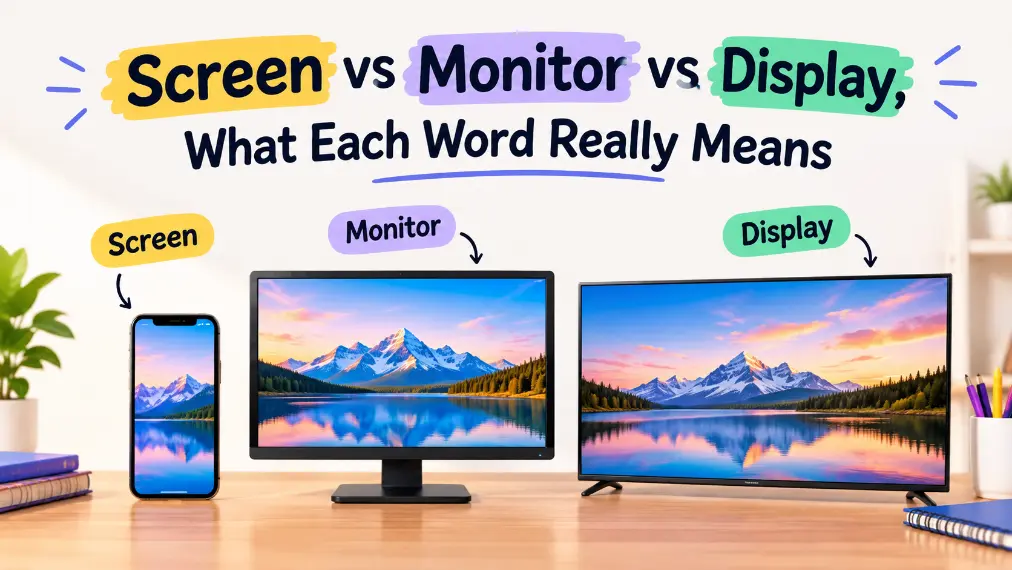
The phrase screen vs monitor vs display sounds simple, but it causes confusion in homes, offices, classrooms, and product listings every day. People use the three words like they mean the same thing, then wonder why a help article, store page, or technical manual sounds “off.”
Here is the clean version, screen is usually the visible panel, monitor is usually the full external device, and display is the broadest word of all. Once you see that pattern, the terms stop feeling interchangeable, and your writing, shopping, and conversations get a lot clearer.
That matters more than it looks. In tech writing, small wording choices affect accuracy, search intent, user trust, and even whether a sentence sounds professional. So let’s strip this down and make the difference easy to remember.
The Core Rule Explained Simply
The simplest way to understand screen vs monitor vs display is this, one term is the surface you look at, one term is the device that shows the image, and one term is the umbrella word that can mean either, depending on context.
A screen is the part you see. A monitor is the standalone hardware connected to a computer. A display is the broadest and most flexible term, often used in technical, commercial, and general writing.
That means the words overlap, but they do not behave the same way. If you use them carefully, your sentence becomes more exact. If you use them loosely, readers usually still understand you, but the wording loses precision.
Screen is the visible surface
A screen is the flat surface that presents the image. It can be part of a phone, laptop, television, tablet, kiosk, or monitor. The key idea is visibility, not ownership or device type.
When people say “the screen is cracked,” they usually mean the glass or panel that shows the image, not the entire device. That is why screen often describes the damaged, visible, or touch-sensitive part.
Monitor is the external computer device
A monitor is usually the separate screen unit used with a desktop computer, laptop dock, or workstation. It is a physical device with its own stand, casing, inputs, and sometimes built-in speakers.
So when someone says “I bought a new monitor,” they usually mean the full product, not just the panel. In everyday computer language, monitor is the hardware term people use most often for external displays.
Display is the broadest term
A display can mean the visual output area, the whole output device, or the entire technology category. It is the most flexible word in the set. That is why engineers, marketers, and manufacturers love it.
You will see phrases like display technology, display resolution, display settings, and OLED display. In those cases, the word is doing broad technical work, not necessarily pointing to a monitor alone.
Side-by-Side Comparison Table
| Situation | Example | Meaning | Correct Usage |
| Visible panel on any device | “The screen is bright.” | The surface showing the image | Screen |
| External computer hardware | “I need a larger monitor.” | The standalone unit connected to a PC | Monitor |
| General technical or commercial term | “This phone has a 120Hz display.” | The visual output system or panel | Display |
| Damage or repair discussion | “The screen is broken.” | The part you look at and touch | Screen |
| Product category wording | “Portable displays for travel” | Broad category, often not limited to PCs | Display |
| Desktop setup discussion | “Dual monitors improve productivity.” | Multiple external units | Monitor |
Deep Dive into Category 1: Screen
When to use screen
Use screen when you want to talk about the visible area where images appear. This is the most natural word when discussing touch input, cracks, glare, brightness, fingerprints, size, or what appears to the eye.
People also use screen when they are not thinking about the full device. They are focusing on the front surface, not the electronics behind it. That is why screen feels more physical and more direct.
Examples:
- The screen is too reflective in sunlight.
- My phone screen stopped responding.
- The laptop has a 13-inch screen.
- The screen brightness is too low in the classroom.
The language here is practical and visual. You are describing the part users interact with, not the system behind it.
Common places where screen fits best
Screen works best in everyday speech, consumer troubleshooting, accessibility discussion, and repair talk. It also appears often in media and entertainment, as in screen time, screen size, or screen resolution.
It is especially useful when the device type does not matter. You can talk about a TV screen, phone screen, laptop screen, or projector screen without changing the core meaning much.
That flexibility is why screen feels so familiar. It is simple, visual, and widely understood.
Quick Test for screen
Ask yourself these questions:
- Am I talking about the visible front surface?
- Am I describing something cracked, dim, blurry, or touch-sensitive?
- Does the sentence focus on what the user sees rather than the whole device?
- Could the sentence apply to a phone, laptop, TV, or kiosk equally well?
If the answer is yes, screen is probably the best choice.
What people get wrong with screen
A common mistake is using screen when the full device is clearly meant. For example, “I bought a 27-inch screen” can sound vague if you are actually referring to an external computer unit. In product writing, that may feel incomplete.
Another mistake is overusing screen in places where display is more technical or more natural. In a spec sheet, display brightness often sounds more precise than screen brightness, depending on the product context.
Deep Dive into Category 2: Monitor
When to use monitor
Use monitor when you mean the external hardware connected to a computer or similar setup. This word is strongest in desktop environments, office setups, gaming stations, editing bays, and productivity discussions.
A monitor is not just the visible surface. It is the full unit, including the frame, stand, ports, and internal components that accept and show the signal. That is why the word feels more concrete and product-focused.
Examples:
- The new monitor has a USB-C port.
- She uses two monitors for video editing.
- That monitor supports 144Hz refresh rate.
- We need a portable monitor for travel work.
When people compare models, they usually use monitor because they are buying a specific external device, not just a screen.
Common places where monitor fits best
Monitor fits best in hardware comparisons, shopping pages, office setups, and technical support for desktop computers. It is also the word people use when the device can be adjusted independently from the computer.
It is especially important in content for buyers. A customer searching for a monitor wants a stand-alone product with specs, inputs, size, and compatibility details. A customer searching for a screen may want something much more general.
That difference matters. Searchers are often telling you what they need through the noun they choose.
Quick Test for monitor
Ask yourself:
- Is this a separate device connected to a computer or console?
- Am I describing ports, stands, input sources, or screen size as a product spec?
- Would a buyer expect a standalone unit rather than just a panel?
- Does the word sound like hardware, not just a visual surface?
If yes, monitor is the safer and more exact word.
What people get wrong with monitor
One common error is calling every display a monitor. That works in casual conversation, but it is not always accurate. A phone has a display, but not a monitor. A TV has a screen and a display, but usually not a monitor unless it is being used as one.
Another mistake is calling the whole device a screen when the shopping or engineering context clearly needs monitor. In product copy, that can weaken clarity and make the page feel less professional.
The Meaning Shift
The big shift in screen vs monitor vs display is not about whether the objects look similar. It is about how broad or narrow the word is.
Screen is the most visual and surface-level term. Monitor is the most device-specific term for external computer hardware. Display is the widest term, and it can function like a technical umbrella.
That means the words form a kind of ladder:
Screen = the visible part
Monitor = the external device
Display = the broad category or technical system
This ladder helps you choose the right term faster. When you want the surface, choose screen. When you want the unit, choose monitor. When you want a general or technical label, choose display.
Why the Confusion Persists
The confusion persists because real-world usage is messy. Retail listings, device manuals, classroom language, and casual speech all mix the terms without strict rules.
People also borrow the words from each other. A product page might call the same item a monitor, a display, and a screen in different sections. That is not always wrong, but it blurs the distinctions in the reader’s mind.
There is also a tech-industry problem. Manufacturers often use display because it sounds modern and broad. Consumers often use screen because it sounds everyday and intuitive. Desktop users often say monitor because that is the traditional hardware term.
So the confusion is not just about grammar. It is also about habit, marketing, and context.
Formal vs Casual Contexts
In casual speech, people often say screen for almost anything. “My screen is not working” can refer to a phone, laptop, TV, or monitor, and nobody usually objects.
In formal or technical writing, the word choice matters more. A repair guide, a product page, or a spec sheet should usually be more exact. In those contexts, monitor and display often carry more precision than screen.
Here is the practical pattern:
In casual conversation, screen is usually fine.
In product and hardware writing, monitor is often better.
In specs, engineering, and broad technical language, display is often best.
That is why the same object can be described differently without contradiction. The sentence changes because the audience changes.
Case Studies and Pop Culture Examples
Let’s make this concrete.
A smartphone company might advertise a 6.7-inch display. That sounds polished and technical. The same phone user might say, “I cracked my screen,” because they are talking about the visible surface and not the spec sheet.
A gaming store might sell a 27-inch monitor. That is the full external unit. A reviewer might say, “The display is sharp and color-accurate,” because they are discussing panel quality, not just the physical device.
In film and television, screen often shows up in phrases like on-screen, screen time, or screen presence. The word moves beyond hardware and becomes part of media language. That broader use is one reason the term feels so familiar.
In academic or engineering writing, display dominates because it can cover LCD, OLED, refresh rate, brightness, and panel type without locking the writer into one consumer label. The word is efficient, broad, and professional.
Advanced Scenarios and Flowchart
Not every sentence is obvious. Sometimes the right choice depends on the exact angle.
Here is a simple text-based decision flowchart:
Start
Are you talking about the visible surface?
Yes, use screen
No, continue
Are you talking about a separate computer unit?
Yes, use monitor
No, continue
Are you talking about a broad technical or commercial term?
Yes, use display
No, continue
Are you writing casually and the device type is obvious?
Yes, screen may be fine
No, choose the most precise noun available
This flowchart works because it starts with meaning, not tradition. That is the fastest way to avoid sloppy wording.
Advanced edge cases
Some cases overlap, and that is normal.
A laptop screen is common in everyday language, but a laptop also has a built-in display in technical specs. The same object gets a different label depending on the audience.
A touchscreen is a screen that also accepts input. Here, screen is especially strong because the touch function is part of the visible surface.
A TV can be a screen in casual speech, a display in technical specs, and a monitor in some professional setups. Again, context decides.
Quick Reference Table
| Term | Fast Meaning |
| Screen | The visible surface you look at |
| Monitor | The standalone external computer device |
| Display | The broad technical or general term |
Common Mistakes That Lower Quality
Even skilled writers get these wrong.
One mistake is using screen when the sentence needs a product-specific noun. “Best 4K screen for editing” can sound vague. “Best 4K monitor for editing” is clearer if you mean a standalone device.
Another mistake is using monitor for phones and tablets. That sounds off in most contexts because those devices are not usually called monitors.
A third mistake is overusing display in casual copy. In the wrong sentence, it can sound stiff or overly technical. A simple repair message often sounds better with screen.
Another frequent issue is inconsistency. An article might start with monitor, switch to screen, and end with display without any reason. That makes the text feel less controlled.
Finally, people sometimes choose the word that sounds smartest instead of the word that is most accurate. That is a fast way to weaken authority.
Memory Hacks That Actually Work
Use this rule:
Screen = what you see
Monitor = what you buy for a computer
Display = the broad umbrella term
That one pattern handles most cases.
Another good memory trick is this, if you can touch it and describe the front surface, think screen. If it is a stand-alone unit beside a PC, think monitor. If you are writing specs, technology notes, or marketing language, think display.
You can also test the sentence aloud.
“I cracked the screen.”
“I bought a new monitor.”
“The display supports 144Hz.”
Each sentence sounds natural because each noun matches the job it is doing.
Why Precision Matters, SEO and Authority
Precise language builds trust. When a reader sees screen, monitor, and display used correctly, they assume the writer understands the subject. That creates authority, which matters in product pages, help content, and comparison articles.
Precision also helps SEO. Search engines try to match wording with search intent. A user searching for a monitor is often looking for a product, while a user searching for screen may want a repair tip or general explanation. Using the right term helps your content align with the query.
The same goes for internal clarity. If your article explains the difference cleanly, readers stay longer, skim more easily, and trust your advice more quickly. That is a real advantage in competitive content.
It also reduces ambiguity in support and documentation. Clear nouns mean fewer misunderstandings, fewer follow-up questions, and fewer corrections. That is valuable whether you are writing for users, buyers, students, or clients.
A Quick Quiz
Fill in the blanks with screen, monitor, or display.
- The phone’s ______ is cracked.
- I connected my laptop to an external ______.
- This tablet has a bright OLED ______.
- Dual ______ improve desktop productivity.
- The ______ is too reflective in sunlight.
- The product page lists a 32-inch ______.
- My touch ______ stopped responding after the drop.
Answer key
- screen
- monitor
- display
- monitors
- screen
- monitor or display, depending on context
- screen
The key idea is simple. Screen is the visible surface, monitor is the standalone device, and display is the broad term that can cover both, depending on context. Once you choose words by meaHere are the requested ending sections for your article.
Conclusion
Choosing between screen, monitor, and display is easier once you understand what each word is meant to describe. A screen is typically the visible surface you look at or touch, a monitor is usually the complete external computer device, and display is the broad, flexible term that covers visual output technology in general. Although these words often overlap in everyday conversation, using the most accurate one improves clarity and prevents misunderstandings. Whether you are writing product descriptions, creating technical documentation, publishing blog posts, or simply discussing electronics, precise terminology helps readers understand exactly what you mean. It also makes your content sound more professional, trustworthy, and authoritative, which is especially valuable in competitive industries where credibility matters.
The best approach is to think about the context before choosing a word. If you are describing a cracked phone, screen is usually the right choice. If you are comparing desktop hardware, monitor is more accurate. If you are discussing specifications, display technology, or general visual output, display often fits best. Remember that none of these words is universally wrong, but each carries a slightly different meaning and level of precision. By mastering these subtle differences, you can write with greater confidence, communicate more effectively, and create content that aligns better with both reader expectations and search intent. Small wording improvements often produce a much stronger overall impression.
Frequently Asked Questions
Is a screen the same as a monitor?
Not exactly. A screen usually refers to the visible surface that displays images, while a monitor refers to the complete external hardware device connected to a computer. In casual conversations people often use the terms interchangeably, but in technical writing and product descriptions they have different meanings. Using the correct word improves clarity and makes your communication more accurate.
Is display the most general term?
Yes. Display is generally considered the broadest term because it can refer to the visual output system, the panel itself, or even the technology behind the image. Manufacturers frequently use display in product specifications because it covers a wide range of devices, including phones, tablets, laptops, televisions, and computer monitors.
Why do manufacturers prefer the word display?
Manufacturers often choose display because it sounds more technical and applies to many different products. Instead of limiting the description to one device category, the word allows them to discuss brightness, resolution, refresh rate, panel technology, and color accuracy without implying that the product is only a computer monitor.
Can I call my laptop screen a monitor?
In most situations, no. The built-in viewing area on a laptop is usually called a screen or display. The word monitor is generally reserved for an external device connected to a computer. While some people casually use monitor for any display, it is less accurate when referring to integrated laptop hardware.
Is screen always the best word for phones?
In everyday conversation, yes. Most people naturally say phone screen when talking about cracks, scratches, touch sensitivity, or brightness. However, manufacturers and reviewers often use display when discussing technical specifications such as OLED technology, refresh rates, or display resolution. Both can be correct depending on the context.
Which term should I use in SEO content?
That depends on the user’s search intent. If people are searching for hardware, monitor may match their expectations. If they are looking for repair advice, screen often performs better. For technical guides or specification-focused content, display is usually the strongest choice. Matching terminology to search intent improves both readability and SEO relevance.
Why do people confuse these words so often?
The confusion exists because the three words overlap in many situations. Everyday speakers rarely distinguish between them, and manufacturers, retailers, and reviewers often use different terms for the same product. Over time, this mixed usage has made the distinctions less obvious, even though each word still has its own preferred meaning.
Are screen and display interchangeable?
Sometimes, but not always. In casual conversations they can often replace each other without changing the meaning significantly. However, display tends to sound more formal and technical, while screen usually emphasizes the visible surface that users look at or touch. Choosing the right one depends on your audience and writing style.
Which word sounds most professional?
For technical documentation and product specifications, display usually sounds the most professional because it is broad and precise. For hardware discussions involving desktop computers, monitor is the preferred choice. In general consumer writing, screen often feels the most natural and relatable. Selecting the appropriate term for the situation creates stronger, more polished communication.

Noor Sullivan is a passionate writer and English enthusiast dedicated to making language easier to understand and use. At GrammarFixery, Noor creates clear, practical content covering grammar, vocabulary, word meanings, sentence structure, and everyday English. With a friendly and straightforward approach, Noor helps readers turn confusing language questions into useful answers. Whether you are a student, professional, writer, or English learner, Noor’s guides are designed to build confidence, improve writing, and make communicating ideas feel natural and effortless.